
60Hz vs 144Hz vs 240Hz: Which Refresh Rate Is Best?
Compare 60Hz, 120Hz, 144Hz, 165Hz and 240Hz displays and understand how refresh rate affects motion clarity, responsiveness and everyday use.
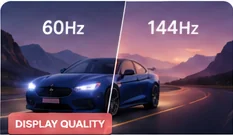
Refresh rate is how often a display updates its image each second. A 60Hz display refreshes up to 60 times per second, while 144Hz and 240Hz displays can update more frequently when the source and connection support it.
What higher refresh rate changes
Higher refresh rates reduce the time between displayed frames. Cursor movement, scrolling and games can therefore look smoother and respond more quickly to new frames.
60Hz
Still adequate for office work, video, reading and many general tasks. Most cinematic video content does not require a gaming-class refresh rate.
120–165Hz
A strong middle ground for visibly smoother desktop motion and gaming. Many users notice the jump from 60Hz more than smaller increases at already-high refresh rates.
240Hz and above
Most useful when very high frame rates, low latency and competitive motion clarity matter. The benefit depends on the application, GPU performance and the panel's pixel response.
Check the full signal path
The operating system setting, GPU, cable, port and monitor must all support the selected mode. A 240Hz display connected through a limited adapter may operate at a lower rate.
If the screen looks smooth in desktop use but blurry only in one game or video, the limitation may be the source frame rate or application rather than the panel itself. Repeatable blur across several browser tests is a stronger reason to investigate the monitor settings or response behavior.
- Confirm the operating system is actually set to the intended refresh rate.
- Check that the cable and port support the required bandwidth at the selected resolution.
- Disable unusual scaling or video-processing modes while comparing motion.
- Run the same moving pattern at more than one speed and look for repeatable trailing or smearing.
- If possible, compare the display at its native resolution and with a stable frame rate.
Simple checks before blaming the monitor
A high refresh rate can still look smeared if the pixels themselves change slowly. Panel response behavior, overdrive settings, frame rate, synchronization and image processing all influence what you see. This is why two monitors running at the same 144Hz setting can have very different motion clarity. Use the refresh-rate setting together with a motion test rather than treating the Hz number as a complete quality score.
Why refresh rate alone does not guarantee clear motion
Choose refresh rate for the work you actually do rather than the largest number on the box. For documents, spreadsheets, web browsing and ordinary video, 60Hz can still be perfectly usable. A move to 120Hz, 144Hz or 165Hz is most noticeable during scrolling, cursor movement, animation and games because intermediate frames are shown more often. Competitive players may benefit from 240Hz or higher, but only when the computer can deliver high frame rates consistently.
How to choose the right refresh rate
Related tests and guides
Remember: browser diagnostics are observational tools. They can reveal repeatable visual symptoms, but they do not replace laboratory measurement or a technician when hardware diagnosis is required.