
sRGB vs Adobe RGB vs DCI-P3: Color Gamuts Explained Simply
Understand sRGB, Adobe RGB and DCI-P3, where each gamut matters and why a wider gamut does not automatically mean more accurate color.
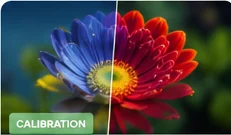
A color gamut describes a range of colors. sRGB, Adobe RGB and DCI-P3 overlap substantially, but each was designed for different workflows. A wider gamut is not automatically more accurate; accuracy depends on correct mapping and calibration.
sRGB
sRGB remains the safest reference for general web content and many everyday applications. When content is not color managed, sRGB-like behavior is often the least surprising.
Adobe RGB
Adobe RGB extends further into some cyan/green colors and is commonly associated with photography and print-oriented workflows. It matters most when the full workflow understands the profile.
DCI-P3 / Display P3
P3 covers a wider range than sRGB in several saturated regions and is common on modern phones, laptops and HDR-capable displays. Display P3 combines P3 primaries with a workflow adapted to computer displays.
Why oversaturation happens
If wide-gamut output is used without proper color management, sRGB content can look unnaturally saturated. A monitor's “sRGB mode” can be useful when you want a restrained reference for standard web content.
Choose based on your work
For normal browsing, sRGB is the practical baseline. Photographers and designers may need wider-gamut coverage plus calibration. Video creators should match the intended delivery color space rather than simply choosing the widest available mode.
If accurate creative work matters, use a hardware colorimeter and a managed workflow. If you simply want a natural-looking monitor for normal use, select a sensible display mode, avoid extreme saturation controls and compare neutral grays, skin tones and familiar images. Consistency is often more valuable than maximum vividness.
- Solid colors can reveal obvious tint, uniformity and channel problems.
- Gradients can show clipping, banding and processing artifacts.
- Browser capability information can help you understand the environment used to display content.
- A browser cannot measure the exact gamut volume or color error of a panel without calibrated hardware.
What browser tests can and cannot show
sRGB remains the most practical reference for typical web content and many everyday applications. Adobe RGB extends further into some cyan and green regions and is often discussed in photography and print workflows. DCI-P3 covers a wider range than sRGB in several areas and is widely associated with modern displays, video and digital cinema workflows. The right target depends on where the final content will be viewed or delivered.
Where each color space is commonly useful
A wide-gamut display can reproduce colors outside sRGB, but content must be color managed correctly to benefit. When ordinary sRGB images are shown without proper color management on a wide-gamut panel, colors can look unnaturally saturated. For web browsing and general office work, accurate sRGB behavior is often more useful than simply having the largest possible gamut.
Why a larger gamut is not automatically better
Related tests and guides
Remember: browser diagnostics are observational tools. They can reveal repeatable visual symptoms, but they do not replace laboratory measurement or a technician when hardware diagnosis is required.